|
The first thing you are going to want to do when planning your video conference event online is ask yourself the following questions:
Once you have answered most, if not all, of these questions, you can start to pick games that will be well-suited for your event.  Step 1: Setting a dateFor myself, as an event entertainer, an event does not begin to materialize until a date is inked in. While it is sometimes possible to alter the date down the road, I would never recommend it. Try to choose the correct date, nice and early. Do your homework too. See what else is might overlap with your start time. Ask your guests if that is a good date or not. See if people might be away on holidays, or if the Academy Awards are that night. One of the great things about virtual events is, people do not need to add travel time to attend the event, and events tend to only last 1 hour. 2 hours would be a fairly long event. Compared to an in-person holiday party, the input time required from participants is much lower. I know we'd all prefer to be there for the open bar, but we must take our positives where we can! Step 2: How many people will be signing in to the event?While this doesn't need to be an exact number right away, this is maybe the most important question to ask when choosing what games to select for your group. We have 3 main choices to decide upon when hiring us as your Virtual Event Hosts. The first is the most popular right now, "Music Bingo". One of the great things about music bingo is there really is no limit as to how many people can play at once. WE can generate randomized bingo cards for as many as we require! What we do is, pack all the games into a Google Drive folder and send the link out with the meeting link for Zoom, Microsoft Teams, or Google Meet. Then we use a tool, such as, PDFSAM to split each pdf file into individual parts. You are going to want to make a numbered list of all your guests for the event, and share this list. That will let each player know which bingo card sheet is theirs, and to download it. Then you shouldn't have anyone accidentally using the same cards. It also provides a handy list for reference to see if they are a winner when they call a Bingo! If you send the link to all the cards out early enough, players will have time to print the cards out to play along (print Landscape on regular 8.5x11 letter size paper for best results). Players can also play along on their devices using the free software Adobe Reader, or similar. The second game we offer is Triv101 - "Survey Style" trivia. This is team game, and the game will permit up to 24 teams. However, this would make for a very long game, and, in my opinion, it is much more fun with less teams, but more players per team. Input your team names before the game, and away you go. The third option we have is called Fat Bottom Trivia "Game Show". This is similar to Jeopardy-style questions and game board. But there are hidden side-games and final challenge. For this game, your host will download the Powerpoint file and select "Screen share" on the presentation when it is open. You will want to check the box for "computer audio", so you will get all the soundfx, and keep track of the team scores on a separate piece of paper. Step 3: Choosing your video conference platform.I always tell the event planners, is your group is already comfortable using one platform, go with that. It is much easier for the host to transition to another platform, than trying to teach all your guests to sign in to something new. If you are already using Microsoft Teams or possibly Google Meet for your needs, definitely go with that. Otherwise, Zoom has great features for your host and guest's needs. Customized backgrounds are a nice addition, and if you have a larger group, you can create "breakout rooms", if you want to have a place for your teams to deliberate. Though I think it is more fun for them to do that in front of the other teams. Step 4: How long do you want the event to last? I think the sweet spot for a video call is an hour long. Asking more than an hour of anyone will start to get them antsy by the end of it, and you may have people starting to leave the call early. With the exception of Music Bingo, you can probably say that, the more people, the longer it will take to complete one round. Music Bingo is a fairly passive and casual game, so other than having the host talk and the music playing. There is no requirements for the players to talk, unless they are calling Bingo! So they are free to socialize and it shouldn't drag the event out. You can play a music bingo game longer or shorter by playing more or less of each song. You can also speed up a game by making easier Bingos! For instance, "1st Line Any Direction" is easier to get and faster than "4 Corners". There are many different ways to customize the music bingo games. But I suggest 2-3 games in an hour long event. Check out all our Music Bingo Game Option Here. For Triv101, the more teams, the longer it will go. Same for Fat Bottom Trivia. So you will want to prepare beforehand a target score that will suit your time length desire. If you need specific answers from experienced hosts, please reach out on our Contact page. Step 5: Choose games that your demographic will enjoy Take a general poll of your guests age and gender, as well as location/nationality. Try to choose games that they will be knowledgeable on. If it is too difficult for them, or doesn't match up with them culturally, they may not enjoy the game as much. Again, if you require specific suggestions from experienced hosts, please reach out on our Contact page. Step 6: PrizesWhile prizes are not necessary, they can add some excitement to the game. It is best to decide how much you would like to give away first, then spread it out accordingly to the games you've chosen.
For Music Bingo, you can have multiple winners per game. Or just the one. For instance, if you are playing "Food Fight" you can say the first 3 lines any direction is a winner, then the first Blackout! So 4 prizes that game. For Triv101 and Fat Bottom Trivia, those are Team Games based on score. So you will want to have a prize or prizes that splits up nicely among the winning team. Don't overthink it, and don't try to do too much. Simple Gift Certificates will work well, and easily be shared via an email link or code. If you have more questions about Virtual Events on Zoom, please add a comment below, or email us at questions@fatcityentertainment.com Take care, and thank you for supporting live entertainment.
0 Comments
Every game purchased and downloaded from the FatCityEntertainment.com Trivia Store is reusable and yours forever. Now with over 30 games to choose from, your Music Bingo night can go on and on, perhaps indefinitely! You know your guests will never tire of "The 90s" or "Hair Bands". Once you are on a roll as a Host, I am confident you will change up the games slightly to include your favorite Michael Jackson tune. The sky is the limit with adaptations. Before I get into the games included in the new Bronze, Silver, and Gold packs of games, Let's go over some of the many, many possibilities for 'Bingos' you can make on any stack of cards.
Music "dobOFF" - Bronze Pack of Top 10 Games
Music "dobOFF" - Silver Pack of Top 20 Games
Music "dobOFF" - Gold Pack of over 30 Games! A Bunch Of Babies
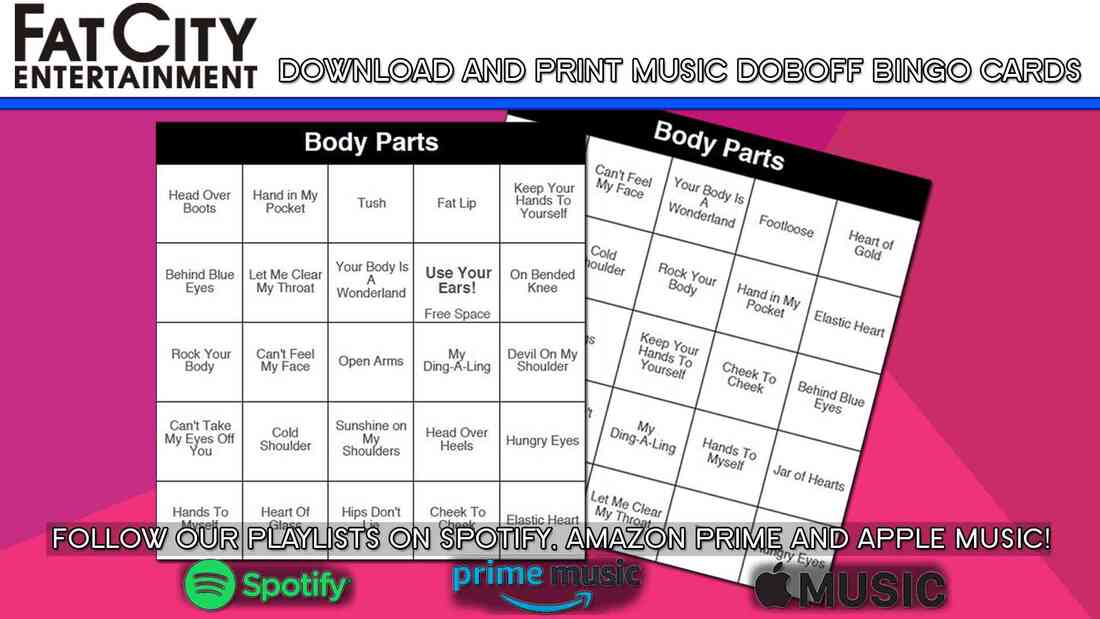
Spotify - Amazon Prime - Apple Anagrams Amazon - Spotify - Apple Antonyms Amazon - Spotify - Apple Body Parts Amazon - Spotify - Apple Cartoons Amazon - Spotify - Apple Cities Amazon - Spotify - Apple Cover Tunes Amazon - Spotify - Apple Christmas Party Amazon - Spotify - Apple Countries Amazon - Spotify - Apple Food Fight Amazon - Spotify - Apple Girls Vs Boys Amazon - Spotify - Apple Golden Oldies Amazon - Spotify - Apple Hair Bands Amazon - Spotify - Apple Halloween Party Amazon - Spotify - Apple Life's A Beach Amazon - Spotify - Apple Movie Soundtracks 1 Amazon - Spotify - Apple Movie Soundtracks 2 Amazon - Spotify - Apple Movie Soundtracks 3 Amazon - Spotify - Apple Nicknames Amazon - Spotify - Apple One Hit Wonders (Artists) Amazon - Spotify - Apple One Hit Wonders 2 (Song Titles) Amazon - Spotify - Apple Out of This World Amazon - Spotify - Apple Road Trip! Amazon - Spotify - Apple Rocker Moms Amazon - Spotify - Apple Rowdy Country Spotify - Amazon Prime - Apple Stadium Songs Amazon - Spotify - Apple St. Patrick's Day Spotify - Amazon Prime - Apple The 70s Amazon - Spotify - Apple The 90s Amazon - Spotify - Apple The Year Was... 1983 Amazon - Spotify - Apple The Year Was... 1992 Amazon - Spotify - Apple The Year Was... 2001 Amazon - Spotify - Apple The Year Was... 2009 Amazon - Spotify - Apple Tv Shows Amazon - Spotify - Apple Video Games Amazon - Spotify - Apple Zoo Rock Amazon - Spotify - Apple  Here is complete instructions in how to create your own music trivia DJ night. It's super easy to create and host for friends, family, co-workers, or even great for a bar event! The great thing about a music bingo night is it can be casual or interactive, depending on how you want to host it. And it is beyond easy to create. I'll tell you how! Step 1: Print Off Bingo SheetsOk, maybe I got ahead of myself when I said it was free. But it's not far off. The first tiny expense is paper. I walked down to the UPS store and printed off 200 sheets (100 pages) for about ten bucks. If you have your own printer, you are covered there. Now, you can either use my sheets that I have made right here if you are beyond lazy.. 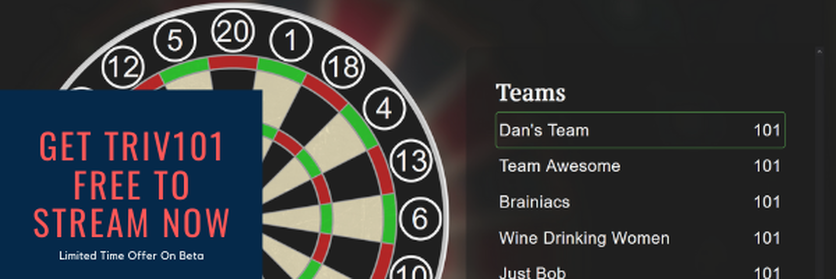 Step 2: DJ Music Playlist On Spotify On Shuffle
Step 3: Pens are cheap, but 'dobbers' are better!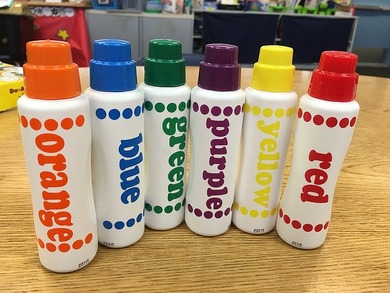 There is no doubt, that having something fun in your hand to play with makes everyone excited. Bingo Dobbers (sometimes spelled daubers) are an easy way to improve the quality of your show. I highly recommend adding Bingo Dobbers to your events. This is the same thing as printing on coloured paper. Sure, you can simply use regular white paper. The game will still function the exact same. Of course, it will be better for your guests, and maybe you get more repeat customers, if you take the time to buy a stack of coloured paper first. Try a thicker stock of paper, as well. 60lb paper stock works great. That's it. Easy. Fun. Interactive Entertainment.Please comment below for bonus tips!
I want you all to know that we at Fat City are interested in creating awesome live events first and foremost. If you are interested more in what we do, check out the Trivia Store for downloadable music bingo cards and other party games.  Ready for a fun game celebrating the originality of songwriters? /s Your group is bound to get a kick out of this game. Of course, it would be perfect for a baby shower, it is fun for all crowds of all ages. Note: mildly explicit lyrics in some songs, such as "Baby Got Back" by Sir Mix-A-Lot. However, this is pretty mild by today's standards. You are bound to hear worse cursing on an average Netflix episode or presidential debate... Check it out in the TRIVIA STORE --> Try hosting games online using Zoom or Google Meet  Prize Table For "Life's A Beach" Music Bingo Night! Prize Table For "Life's A Beach" Music Bingo Night! Zoom: Video Conferencing
Meet - Google Many of our users have taken the initiative to create online events in the wake of covid-19. Here is some great advice from Jen M: "We have had so much fun! It’s given us something to look forward too! "For the family and friends that live in the same city I print all the cards (making sure I am washing my hands and bring isogel) I drop off cards in their mailboxes which was a very exciting outing for me lol. For the ones further away I emailed them and they either printed them selves or hand wrote out their cards. "Each week we have used the theme of the bingo along with decorating area that we are playing in along with hair styles and costumes. We use the zoom app and using a mixer and a good quality mic along with iPhone directly into computer so the sound is great for all playing. Most of the players use their phones and use either Apple TV or a lighting cord to put up on tv so we can see everyone. "We are very lucky my dad was the morning man for the radio station for 35 years plus a dj back in the day so this isolation along with you guys has brought him out of retirement!" Thanks so much Jen for allowing us to share your experience, and to help others! You are a true supporter of Live Entertainment! If you have a story to share, please do so in the comments below. |